
- Log into your scorevolunteer.org account directly (gmail.com)
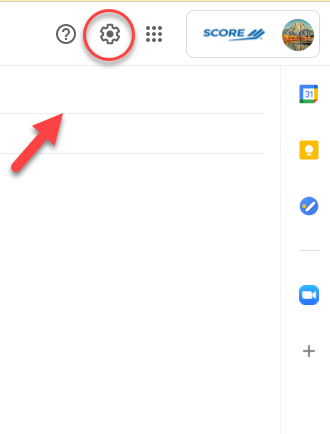
- Choose the gear icon on the upper right and Under Quick Settings, select See All Settings
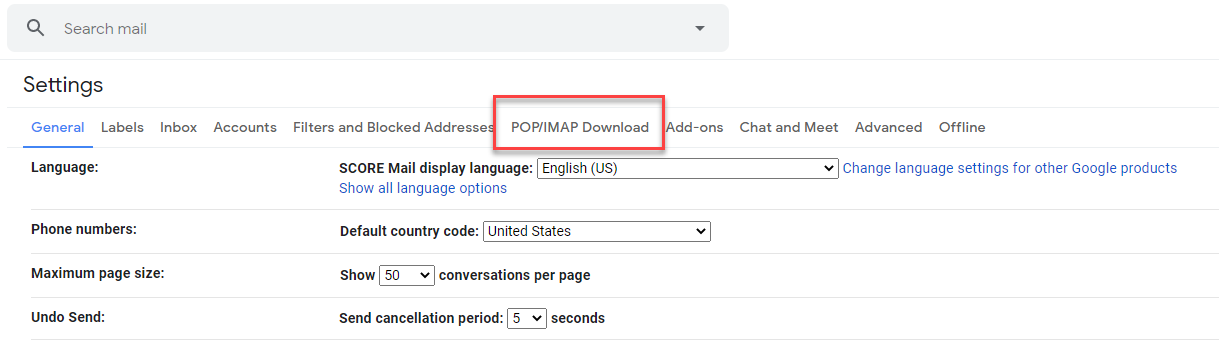
- Select POP/IMAP Download
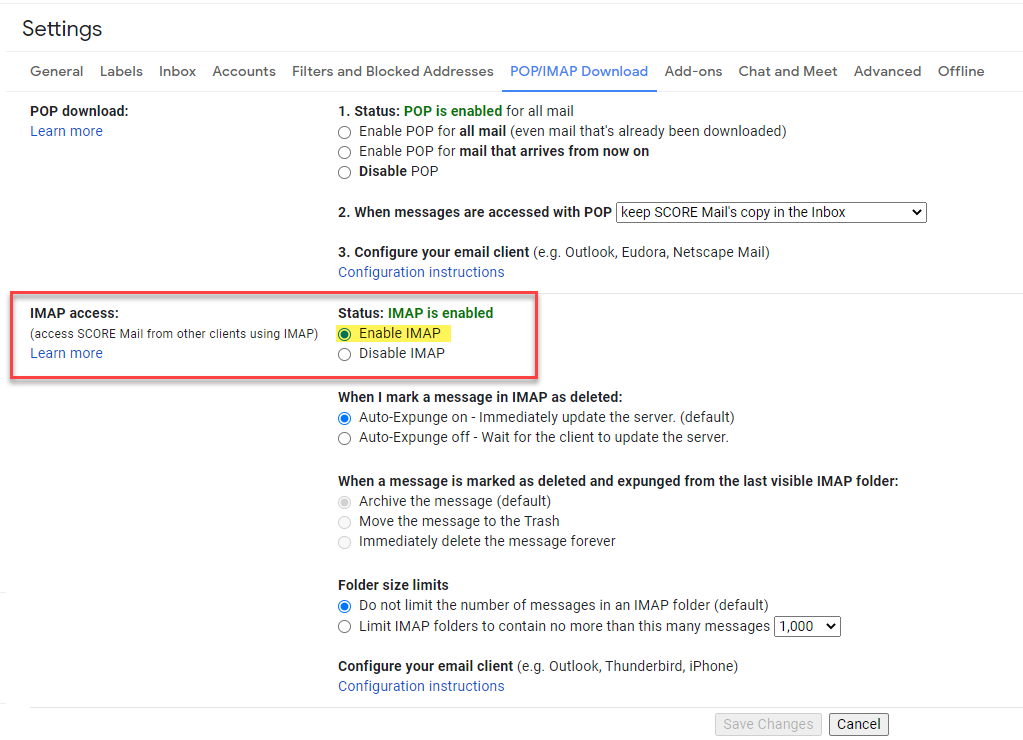
- Scroll down until you see IMAP Access and select Enable IMAP
- Click the Save changes button
Comments
0 comments
Please sign in to leave a comment.